Know who's in your care.
Keep parent and child details, emergency contacts, pickup information, medical notes and subsidies together in the family record.
BEFORE SCHOOL. AFTER SCHOOL. SCHOOL HOLIDAYS.
Your families.
Your programme.
One place.
Bring bookings, attendance and family information together. Keep the day running smoothly, with Xero taking care of the accounting.
Get started with Roll Call Take a closer lookBUILT AROUND FAMILIES, NOT SPREADSHEETS
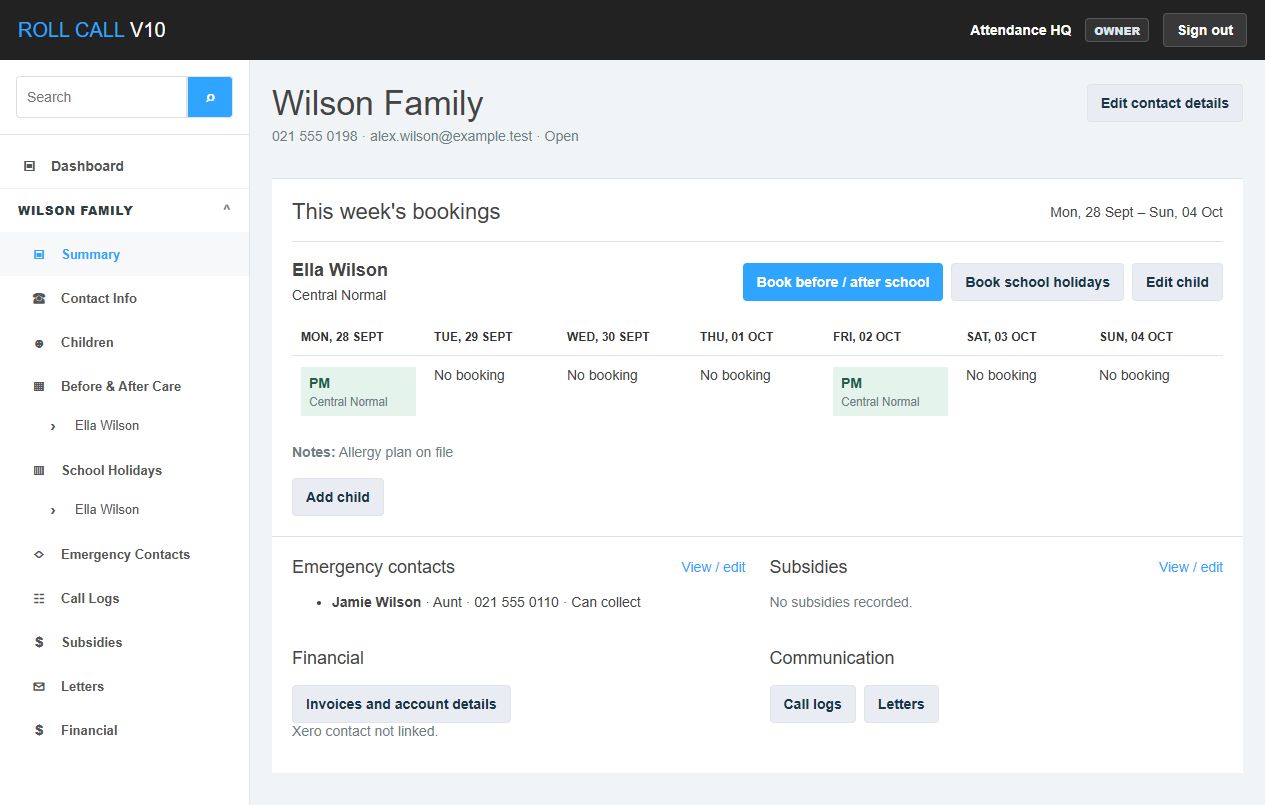
Find a child or parent and go straight to their family. See this week's bookings, check contact details, record a conversation or look up their account, without piecing it together across different systems.
THE TOOLS FOR YOUR WORKING DAY
Keep parent and child details, emergency contacts, pickup information, medical notes and subsidies together in the family record.
Book multiple sessions across a term, or plan school holiday care. Set centre-specific dates, session names and prices, and change bookings when plans change.
Use daily, weekly and school holiday rolls to record attendance. Open a family from the roll when you need more detail, or print a PDF for your team.
Log calls and follow-ups so the next staff member has the context. Create your own letter templates and generate personalised family letters.
Explore centre activity, attendance history and booking values. Use operational reports and PDFs to plan ahead without recreating your accounting reports.
Invite staff, assign roles and manage centres from the admin area. Keep each organisation's records separate and review changes through the audit history.
A FAMILIAR, CONNECTED WORKFLOW
Add your term and holiday dates, sessions and charges. Invite your team with the access they need.
Add family records or link existing Xero customers, then add children and the care information your staff need.
Make calendar bookings, mark the rolls and keep the family record up to date as the week unfolds.
Prepare booking invoices for Xero, with automatic export available through your organisation's billing settings.
OPERATIONS IN ROLL CALL. ACCOUNTING IN XERO.
Roll Call handles the day-to-day care workflow. Xero remains the home for your accounting records. Connect your organisation to bring the two together.
A Xero account and an authorised connection are required for Xero features. Roll Call is a product of Attendance HQ.
A FEW THINGS TO KNOW
Teams running before and after school care and school holiday programmes. You can set up multiple centres, each with its own session choices and operating dates.
No. Xero holds the accounting information it supports. Roll Call keeps the operational details, including children's records, bookings, attendance and care information.
Yes. After connecting Xero, you can review customer import candidates and create or link family records. You choose which customers belong in Roll Call.
The signup link takes you to the Roll Call app to request access. Attendance HQ reviews your request before your organisation and owner account are created.
No. Roll Call supports your booking-to-invoice workflow and displays available Xero information. Reconciliation and financial reporting stay in Xero.
MEET YOUR NEXT WORKING DAY
Put the administration in one place.
Keep your attention on the families you care for.